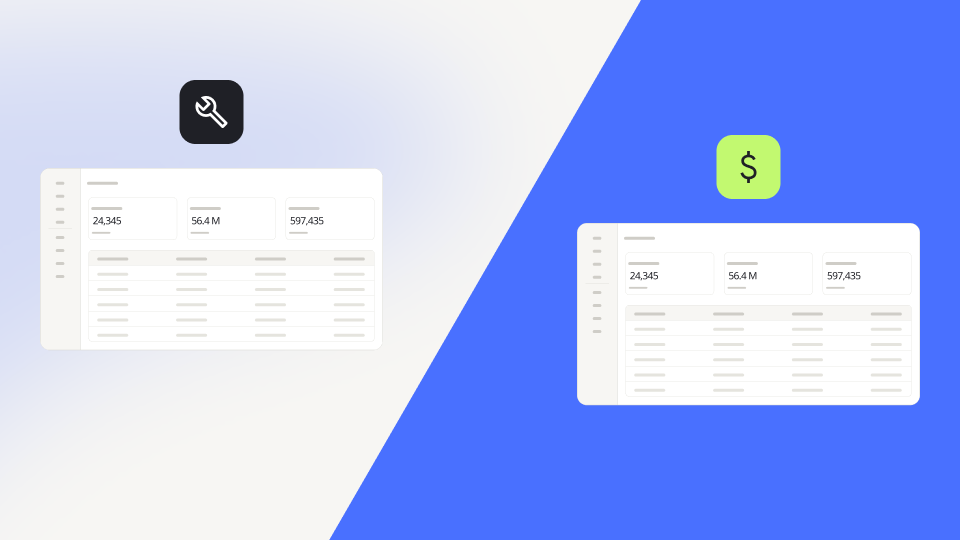
Buy field service software when your jobs run like everyone else's. Build your own when the way you run service is part of why customers choose you. For most SMEs, the decision comes down to one question: should your team adapt to the software, or should the software adapt to your team? This guide walks through six criteria, from process fit to mobile use in the field, so you can tell which side of the line your business sits on.
Off-the-shelf software handles the standard job very well
Dedicated field service management software has a clear strength. It packages the process most service businesses share into something you can switch on quickly. Scheduling, dispatch, technician apps, customer notifications and invoicing usually come ready to go, and the vendor takes care of updates and hosting.
Many of these products also offer native mobile apps that work offline, along with GPS tracking and route planning. That matters if your technicians spend their days in basements and plant rooms without signal. For a classic heating or plumbing business with standard visits and standard invoices, a product built for exactly that is hard to beat. Book a few demos, kick the tyres, and you may have your answer within a week.
The real cost shows up where your process leaves the template
Every field service product carries an opinion about how service should work. When your process matches that opinion, you win. When it doesn't, the workarounds begin.
Maybe your maintenance contracts follow custom intervals. Maybe inspection checklists change by asset type, or you mix one-off repairs with multi-week installation projects. Suddenly there's a spreadsheet next to the software, a notes field doing the work of three missing fields, and someone in the office copying data into accounting every Friday. Research firm Persistence Market Research notes that field service management adoption faces challenges beyond software costs, especially because of complex integration with legacy and siloed systems.
Those workarounds land on your technicians too. Diginomica, reporting on Salesforce research, found that technicians and tradespeople lose nearly a full working day each week to routine admin tasks instead of serving customers. Software that doesn't fit your process adds to that pile.
This is the distinction that settles the whole decision: a standard process versus a signature process. A standard process is the same everywhere, so buying it makes sense. A signature process is how you compete, and forcing it into someone else's template costs you exactly what makes you different. That's where a low-code platform changes the maths.
Six criteria decide whether you should buy or build
Run your business through these six criteria. If most of your answers point the same way, you have your direction.
Process fit comes first and carries the most weight. If your jobs follow the industry standard, buy. If your contracts, checklists or job types are how you win business, build, because that's the part a template will bend out of shape.
Cost looks simple on a pricing page and gets complicated by month six. Buying makes sense when a per-seat subscription covers your process without paid add-ons. Building makes sense when add-ons, extra seats and workaround hours keep climbing, or when you'd rather start small and scale as you grow. Compare both options over three years, and count the hours your office spends on workarounds alongside the licence line.
Integration with existing systems decides how much retyping your office does. If one product can replace most of your other systems, buying keeps things tidy. If your service data needs to sit alongside the contracts, assets and accounting you already run, building lets you connect it where it already lives.
Time to go-live favours buying when you need the standard process running next week with minimal setup. Building wins when you can start with one process and go live step by step.
Adaptability comes down to who controls change. If your process rarely changes and you're happy to follow the vendor's roadmap, buy. If rules, checklists and contract terms change often and your own team should adjust them, build.
Mobile use in the field deserves an honest answer. If your technicians need a native app that works offline from day one, that points to buying. If they mostly work where they have a connection, it won't stand in the way of building. When offline work is a daily reality for your team, put it at the top of your requirements list.
If your answers split, let process fit break the tie. It decides how many workarounds you'll live with for years.
Building your own no longer means a development project
Five years ago, building your own field service software meant hiring developers, writing a specification, and waiting months for a first version. That's why "build" rarely made the shortlist for SMEs. A low-code platform removes that barrier, and AI-native building removes the blank page.
With Ninox, you describe what your service business needs in plain language, and Ninox AI creates a working starting point with tables, fields and logic. From there, your team shapes it in the low-code builder around the way you work. A typical field service build connects customers, sites, assets, service contracts, jobs, technicians and service reports. Everything is linked, so each job knows its site, its asset and its contract.
Your office team plans the day on a Kanban board of jobs by status, with card colours driven by priority, and uses a Gantt view for multi-day installations. On site, the customer signs off on completed work with a signature field, and Ninox turns the finished job into a service report document. Per-record permissions let each technician see only their own jobs.
Integration is where building used to fall down, and where it now holds up. Connectors bring customer and invoice data from Lexware Office, sevdesk or Sage Accounting into Ninox, so the office stops retyping it. Where no connector exists, the REST API lets your other systems create or update jobs in Ninox. It matches on a field such as the order number, so the same job never lands twice. Scripting covers the rules no template anticipates, like calculating the next maintenance date from a contract's custom interval. And with AI built into scripts, Ninox can sort incoming service requests by urgency or trade before anyone opens them.
The difference from buying is ownership. When a new contract type appears or a checklist changes, your team adds the field or adjusts the rule that afternoon. You don't have to file a feature request and hope.
Native mobile apps are coming, so plan your start date honestly
Today Ninox is a web platform, so technicians use it in the browser wherever they have a connection. Native, offline-capable apps are on the roadmap for 2027. If your technicians need offline access from day one, talk to our Sales team before you commit and agree on a start date that fits your operation. That way you have your ducks in a row before the first technician logs in. One option is to start with the office side, meaning contracts, planning and reporting, and bring the field side in once the native apps arrive.
The smartest build starts with what makes you different
You don't have to rebuild every part of field service on day one. Start with the signature process, the part that no product on the market handles the way you do. For many SMEs, that's maintenance contracts and the asset history behind them. Get that right, and you'll move the needle faster than any feature list could.
Ninox's freemium entry plan makes that first step low risk, because it's a permanent plan rather than a trial. Then extend step by step. Add the service report, then the dispatch board, then the connection to accounting. Each step fixes one workaround, and your team learns the system as it grows.
A growing market makes fit the deciding factor
Field service software isn't getting simpler to choose. Verdantix reports that the market was worth $4.7 billion in 2024 and spending is forecast to reach $9.2 billion by 2030. More money means more vendors, more templates, and more opinions about how your service should run. The deciding question stays the same: does the software follow your process, or does your process follow the software?
Take the next step.
Let's figure it out together.