Most safety checklists in construction are still on paper for one reason, and it has nothing to do with caring less about worker safety. Building a proper digital version has always meant going to IT, and most contractors do not have an IT department standing by to build one. The fix is a low-code process automation platform that lets the safety manager or superintendent build the checklist themselves, in the format the crew uses on site every day.
How long will paper still work?
Give paper its due. A clipboard costs nothing, needs no login, and works in a basement with no signal. For a small crew running one job, a laminated checklist and a pen get the job done.
The trouble shows up at scale. Construction professionals spend more than 14 hours a week hunting for project data and reconciling documents that are already out of date by the time anyone reads them, according to a survey of nearly 600 construction leaders by FMI and PlanGrid. A safety inspection filled out on paper Monday morning does not become useful information until someone keys it into a system, often days later and from a stack of forms that got rained on. By then the hazard has usually already been fixed, ignored, or forgotten.
It is not just safety forms. As Ksenia, Ninox's International Sales Manager, heard from one customer:
Our site foremen still fill out paper timesheets that someone has to key in by hand at the end of the week.
Multiply that by every crew on every job, and the hours lost to re-entry start to rival the hours spent on the actual paperwork.
The gap between digitizing and owning
Digitizing a checklist and owning it are two different things. Plenty of safety apps convert a PDF form into something you fill out on a phone. That solves the clipboard problem, not the real one: every job site is different, every subcontractor mix is different, and every checklist needs to change the week after you built it. Scanning a paper form into somebody else's rigid app still behaves like paper the moment you need to change it.
You end up locked into their fields, their logic, and their support ticket queue the moment a new hazard type shows up. Build it on a low-code platform instead, and the safety lead updates the fall protection section themselves, on a Tuesday afternoon, without opening a ticket. That is the difference between a form and a working process.
The cost of finding out the hard way
The stakes are not abstract. The National Safety Council puts the average direct cost of a construction injury at around $40,000 in medical bills and workers' compensation, and OSHA's Safety Pays estimates put indirect costs, lost productivity, retraining, project delay, at two to four times that once the dust settles. Add in a manual data entry error rate of roughly 1 to 4 percent per field even among experienced staff, and a smudged number on a paper form stops looking like a shrug-worthy inconvenience.
None of this means a $40,000 incident happens because a form was on paper instead of a screen. It means the paper trail meant to catch a problem before it becomes one is often too slow, illegible, or disconnected from the job to do its job.
Where Ninox fits in
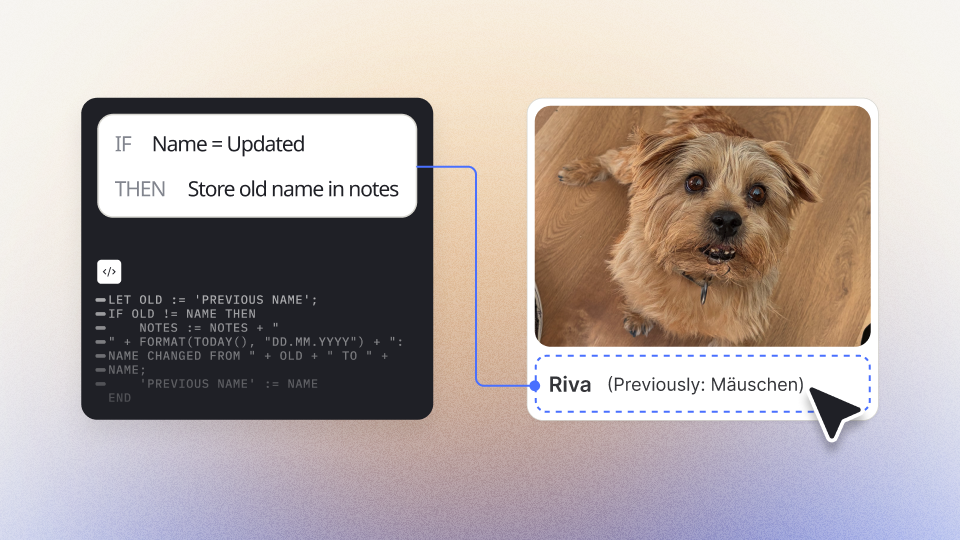
This is the gap a business process automation software closes. Instead of buying a rigid safety app and living with whatever fields the vendor shipped, Ninox gives the operations team AI that helps build the checklist, the approval flow, and the alert logic directly, using a drag and drop builder with a scripting layer underneath.
A superintendent can build a fall protection checklist this week, add a scaffold tagging field next week when a subcontractor asks, and route a flagged item straight to the safety director instead of leaving it in a binder. Photo and timestamp fields attach to each entry, so an inspection holds up when an OSHA inspector or insurer asks for it.
The global low-code market is projected to grow from $44.6 billion in 2026 to $101.7 billion by 2030. Construction, with its scattered job sites and shifting compliance requirements, is one of the clearest cases for making that move now.